
Note-Taking Is a Team Sport Now — Here’s What to Use
The best ai collaborative note app options for students in 2026 are:
| App | Best For | Free Tier | Starting Price |
|---|---|---|---|
| Notion | Team wikis & project management | Unlimited personal pages | $12/user/month (Plus) |
| Mem | Auto-organized personal + team notes | Limited | $12/month |
| Google NotebookLM | Research & source-grounded AI | Free | Free |
| Saga | Connected notes, docs & tasks | Up to 3 members | $8/member/month |
| Microsoft OneNote | Free, cross-platform note-sharing | 5GB storage | Free |
You’ve got a group project due Friday, three readings to summarize, and your study group’s notes are scattered across five different apps. Sound familiar?
Most students waste more time finding their notes than actually using them. And when you’re collaborating with a team, that problem gets worse fast.
That’s where AI collaborative note apps come in. These aren’t just digital notebooks — they’re workspaces where AI helps your whole group capture, organize, and recall information without the usual chaos.
The market is exploding right now. Apps like Notion, Mem, and newer tools like Granola and Saga are pushing past basic note-taking into something much more powerful — think real-time AI summarization, automatic action item extraction, and contextual search that actually understands what you meant.
But not every app works the same way, and the wrong choice can cost you time and money.
This guide compares the top options head-to-head so you can pick the one that fits how you and your team actually work.
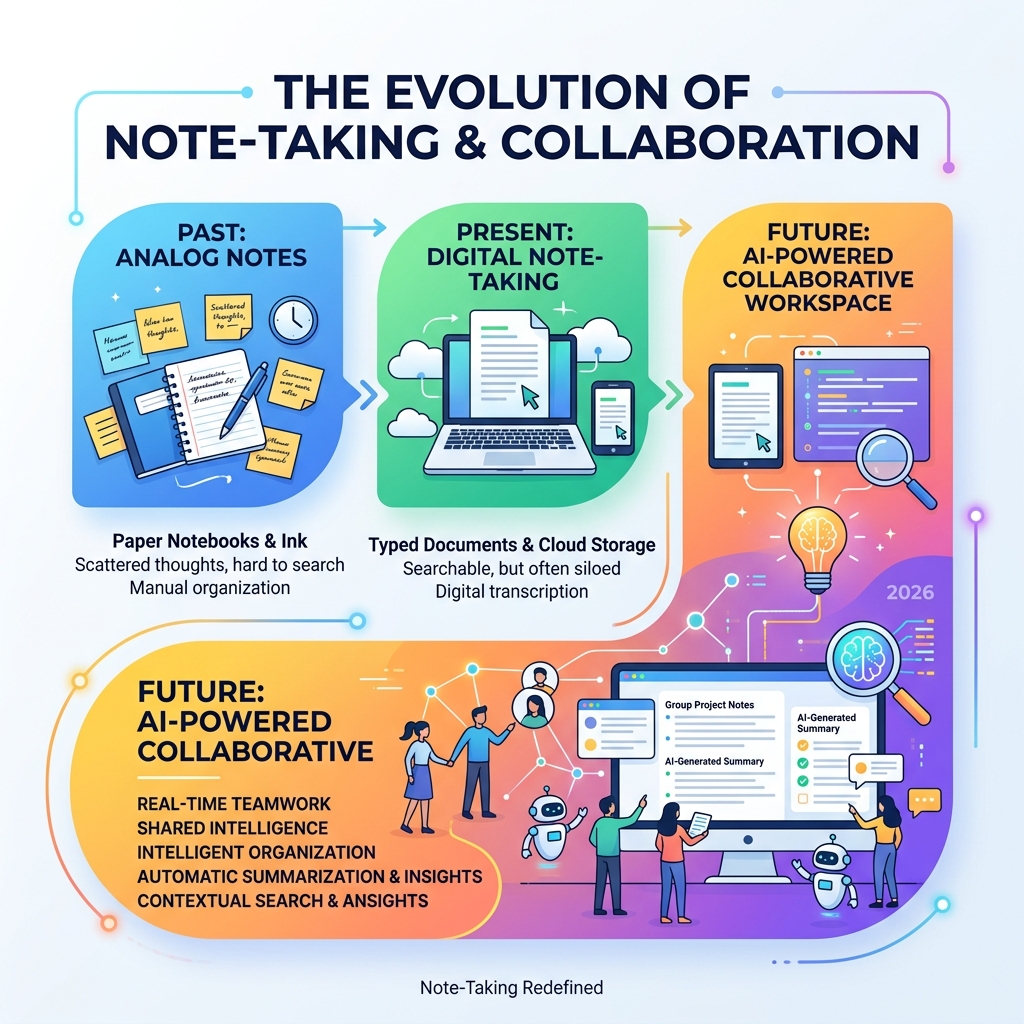
How an AI Collaborative Note App Transforms Group Study
In the past, group study meant one person typing frantically while everyone else tried to chime in, or worse, five different versions of the same Google Doc floating around. An ai collaborative note app changes the game by acting like a silent, super-intelligent member of your study group.
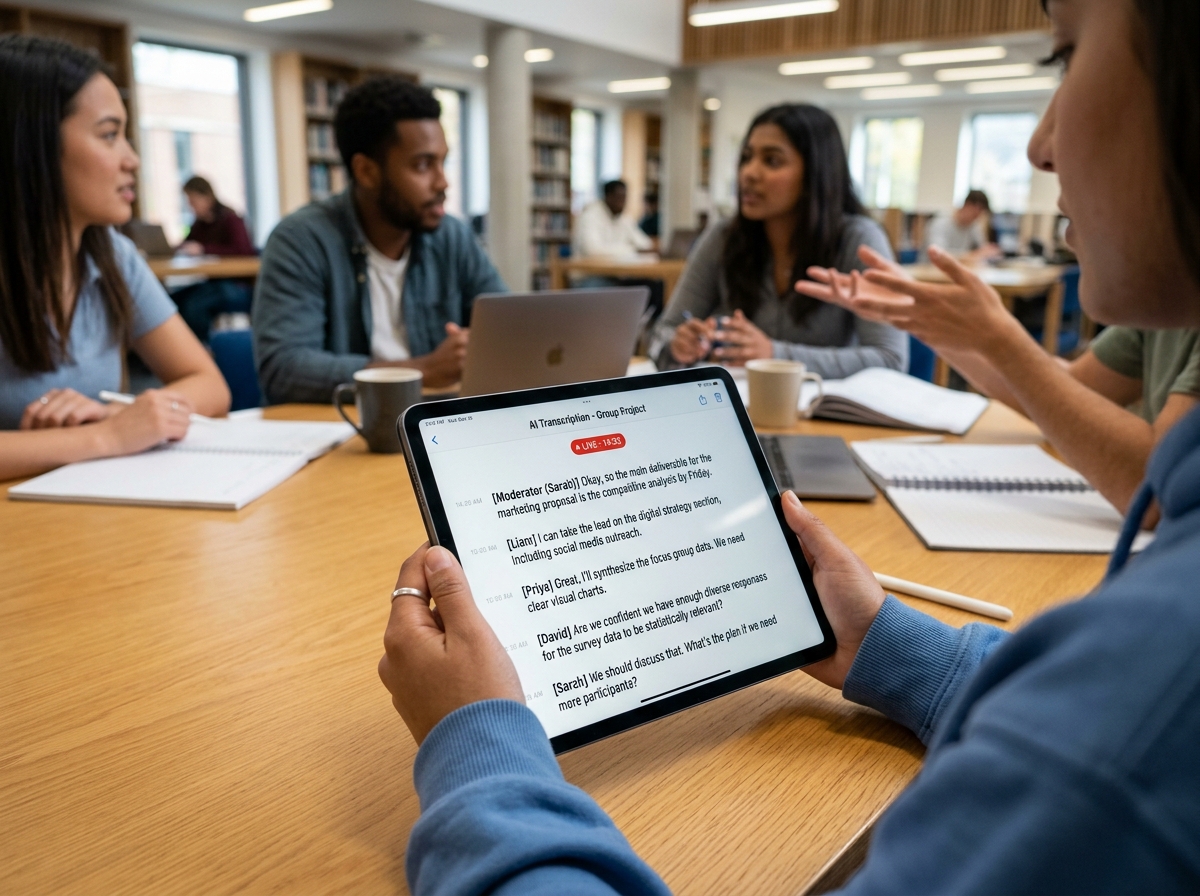
When we use these tools, the AI does the heavy lifting. Imagine you’re in a Zoom session for a history project. Instead of everyone scribbling down dates, the AI can handle real-time transcription with high accuracy. But it doesn’t just stop at text. Modern apps use semantic intelligence to understand the meaning behind your discussion.
For example, if someone says, “I’ll handle the bibliography by Tuesday,” the AI recognizes this as an action item and automatically tags that person and adds it to a shared task list. This is what we call action extraction, and it’s a lifesaver for keeping group projects moving.
Another huge benefit is contextual search. Instead of hunting through 50 pages of notes for that one mention of “quantum entanglement,” you can just ask the app a question. Because the AI has indexed your files and even your past conversations, it can pull up the exact answer instantly. This is a core feature of tools like Collaborative Note Taking | Niv , which focuses on building a “shared second brain” for teams.
To get the most out of these features, we recommend checking out our tutorial-for-effective-group-study-sessions-with-ai-apps. It walks you through how to set up your workspace so the AI can actually learn your group’s specific “vibe” and terminology.
Top AI Collaborative Note Apps for Students in 2026
Choosing the right ai collaborative note app depends on whether you need a massive database, a research partner, or just a clean place to dump ideas. We’ve tested the heavy hitters to see how they handle real-world student pressure—like 2:00 AM cram sessions and spotty campus Wi-Fi.
Reliability is key here. We look for apps that offer great cross-platform syncing (meaning your notes look the same on your iPhone as they do on your Windows laptop) and solid offline access. There’s nothing worse than being in a basement library with no signal and being locked out of your own brain. If you’re just getting started with these tools, our collaborative-study-sessions-with-ai-a-tutorial is a great place to begin.
Notion: The Customizable Team Wiki
Notion has become the gold standard for many of us. It’s essentially a giant LEGO set for your notes. You can build databases, Kanban boards for project management, and beautiful wikis all in one spot.
The real magic is Notion AI. It can summarize long lecture notes, fix your grammar, and even change the tone of your writing from “casual chat” to “professional essay.” For teams, Notion uses “teamspaces,” which are dedicated areas where everyone can collaborate on the same set of documents.
One downside? It can be a bit “sluggish” if your pages get too complex, and the “build your own setup” trap can lead to spending more time decorating your notes than actually studying. However, with the integration of tools like NotePilot – Think smarter with AI-powered notes , you can bridge the gap between simple drafting and high-level AI assistance.
Mem: The Self-Organizing Workspace
If you hate folders, Mem is for you. It’s designed to be an ai collaborative note app that organizes itself. You just dump your thoughts, meeting transcripts, and web clippings into it, and the AI handles the rest.
The standout feature is “Heads Up.” As you’re typing a new note, a sidebar shows you related notes from your past or from your teammates. It’s like having a memory that never fails. Mem uses thread-based collaboration, which feels a bit like Slack but inside a notebook. It’s great for “thought partners” who want to build on each other’s ideas without the friction of manual filing. You can explore more at Mem – Your AI Thought Partner .
Google NotebookLM: The Research-Grounded Partner
Google NotebookLM is a different beast entirely. It’s less about “writing” and more about “understanding.” You upload your sources—PDFs, YouTube transcripts, or Google Docs—and the AI becomes an expert on that specific information.
This is huge for avoiding “AI hallucinations” (where the AI just makes stuff up). Because it is source-grounded, it will only answer based on what you’ve provided, and it even gives you citations so you can double-check its work. Our favorite feature is the Audio Overview, which can turn your boring research papers into a podcast-style discussion between two AI hosts. It’s perfect for listening to your study materials while you’re at the gym or commuting. Check it out at Google NotebookLM | AI Research Tool & Thinking Partner .
Saga: The Connected Knowledge Base
Saga is all about speed and simplicity. It’s a fast, “keyboard-first” workspace that automatically links your notes. If you mention “Project X” in one note, Saga automatically creates a link to every other note that mentions “Project X.”
For collaboration, Saga offers live blocks and side-by-side viewing. This means you can have your research open on one side and your essay draft on the other, with the AI helping you bridge the two. It also integrates deeply with Google Drive, so you can search your Drive files without leaving the app. It’s a fantastic choice for small teams (up to 3 members on the free plan). Learn more at Saga – AI workspace for your notes, docs, and tasks .
Maximizing Value and Privacy in Collaborative AI Workflows
When we talk about an ai collaborative note app, we have to talk about security. You’re putting your best ideas—and sometimes sensitive personal data—into these platforms.
Most top-tier apps like Evernote and Notion are SOC 2 Type II compliant, which is a fancy way of saying they have high-level security audits. However, you should always check the “LLM data training policies.” Some apps might use your notes to train their AI models unless you opt-out. For students, we always recommend using apps that offer data encryption and clear workspace permissions so you know exactly who can see your “secret” study guides.
Pricing is the other big factor. While many apps have free tiers, they often come with limits on how many AI prompts you can use or how many teammates you can invite. We suggest looking for student discounts—many of these companies offer 50% off or even free “Pro” plans if you have a .edu email address. For more tips on working efficiently without breaking the bank, see our ai-tips-for-collaborative-study-efficiency.
Frequently Asked Questions about AI Collaborative Note Apps
Which ai collaborative note app is best for free users?
If you’re on a tight budget, Microsoft OneNote is hard to beat. It gives you 5GB of storage for free and works on almost every device. Google Keep is another great, simple option for quick syncing. For AI-specific power, Google NotebookLM is currently free and offers some of the most advanced research features available.
How does an ai collaborative note app handle data privacy?
Most reputable apps use industry-standard encryption. However, “privacy” also means “control.” Look for apps that allow you to set specific permissions for shared folders and those that explicitly state they do not use your data to train their public AI models. Always check the settings for an “opt-out” toggle regarding AI data sharing.
Can I use an ai collaborative note app for offline study?
Yes, but with caveats. Apps like Obsidian and OneNote are excellent for offline use because they store files locally. Cloud-first apps like Notion or Saga have “offline modes,” but they can sometimes lead to “sync conflicts” if two people edit the same note at the same time while offline. Usually, the app will ask you to pick which version to keep once you’re back online.
Conclusion
At Vida em Jardim, we believe that your academic journey shouldn’t be a solo struggle. The right ai collaborative note app can turn a stressful group project into a streamlined, high-achieving collaboration. By letting AI handle the organization, transcription, and summarization, you and your friends can focus on what actually matters: learning and creating.
Whether you choose the database power of Notion, the self-organizing magic of Mem, or the research-heavy focus of NotebookLM, the goal is the same—to work smarter, not harder.
Ready to level up your academic game? Boost your grades with our latest study hacks and stay ahead of the curve in 2026!
